
PTA Directory
Connect with Northwood Families
Your PTA membership now includes access to the Northwood Family & Student Directory!
Looking to connect with other Northwood families? The directory is now available exclusively to PTA members. Joining the PTA is a simple way to support Northwood while staying connected to the families and community around you.
Join the PTA and get connected!
The Family Directory helps you connect with other Northwood families, while the new Student Directory makes it easier to find your child's classmates and friends.
Step 1: Join the PTA
Join or renew your membership at: northwood.givebacks.com/
Already a member? Skip to Step 2
Step 2: Add or update your family
First, make sure your family information is up to date.
Login at northwood.givebacks.com:
1. Go to Account → Directory Settings
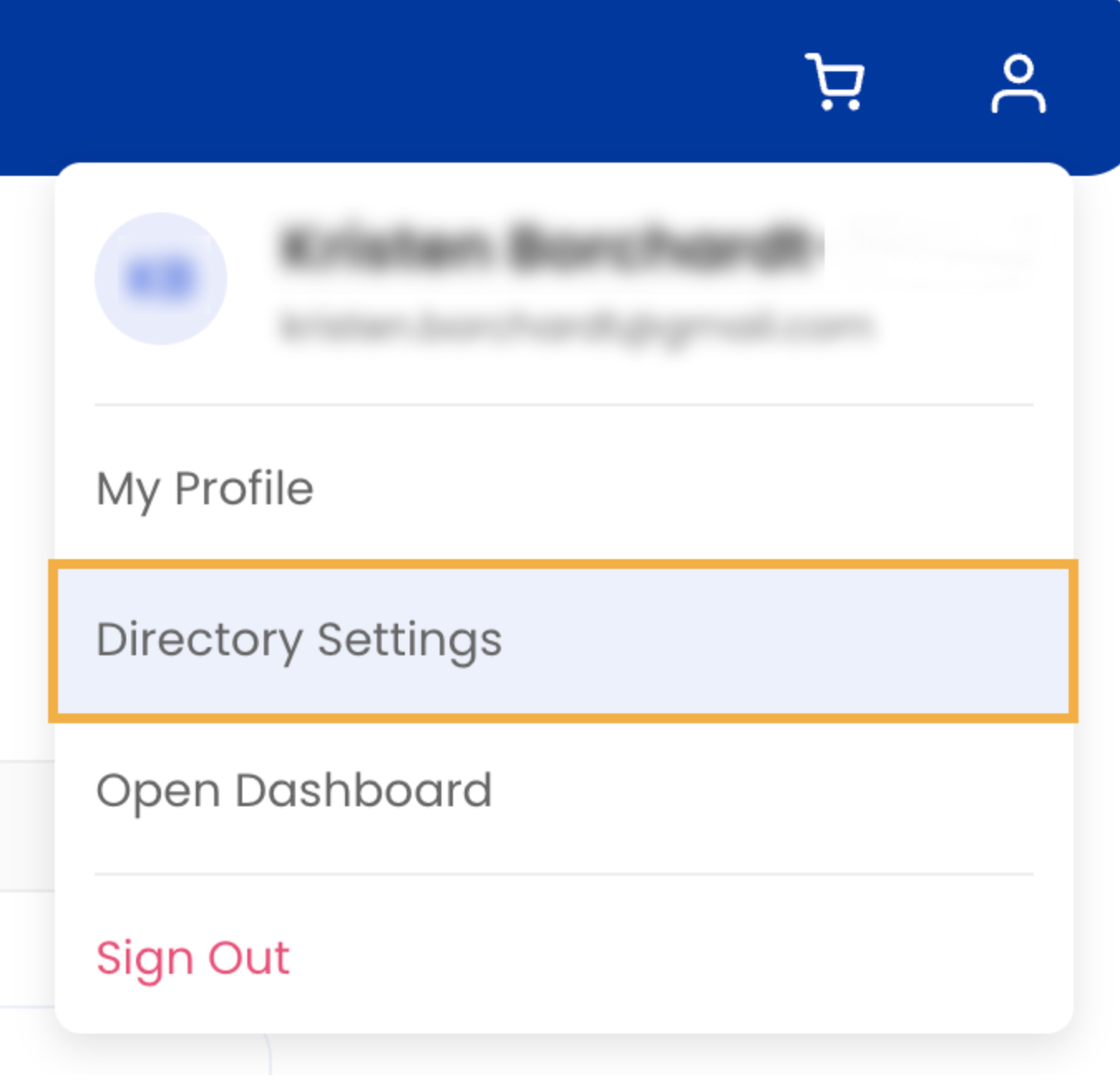
2. Select Manage Family → Add Child
3. Add their name and under Organizations, select Northwood Elementary PTA
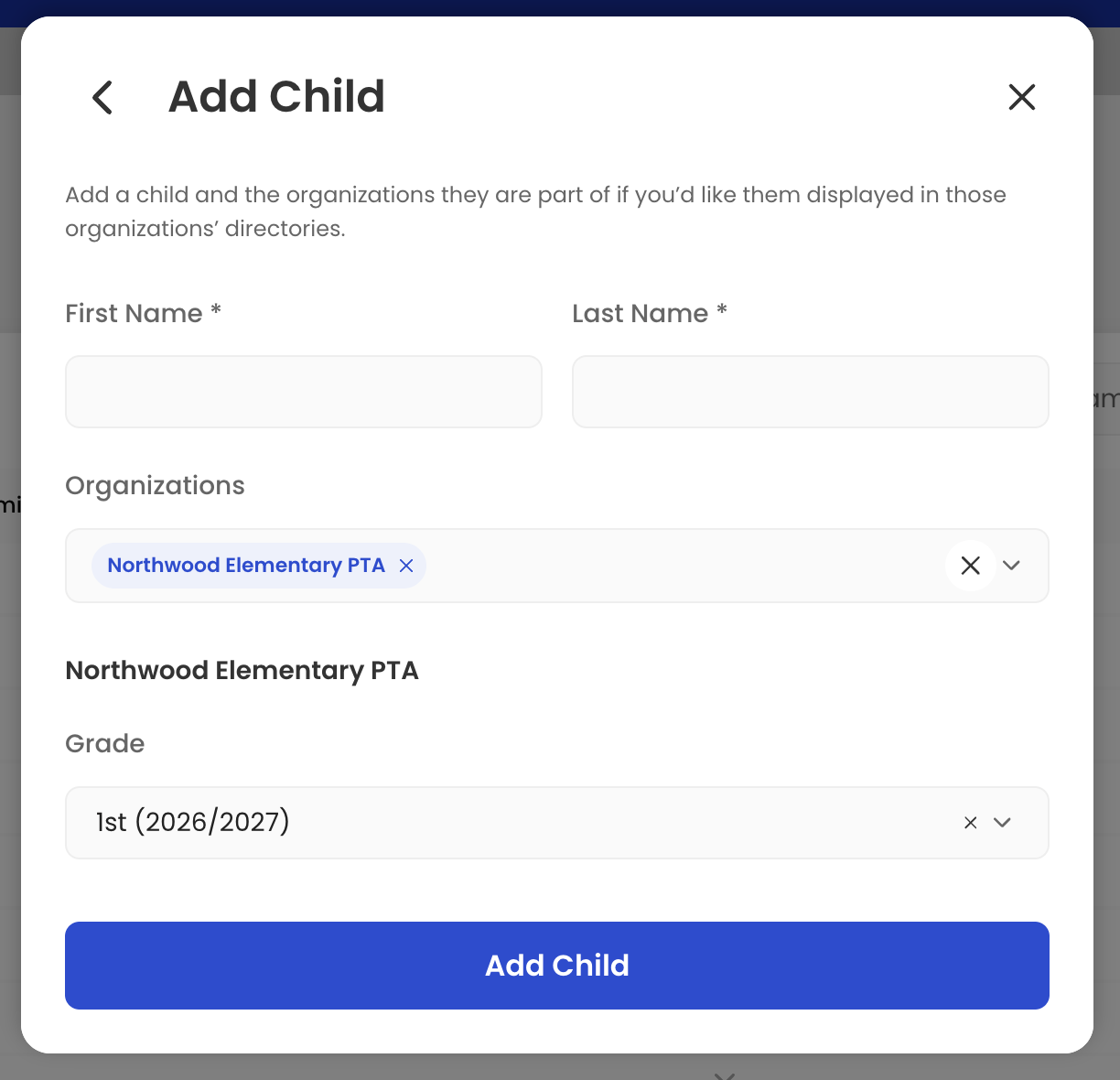
4. Add your child's grade level
5. Select Add Child
Tip: Adding your child's grade helps families find classmates and friends in the Student Directory.
Step 3: Choose what information to share
Next, choose what information you want other PTA members to see in the Family Directory.
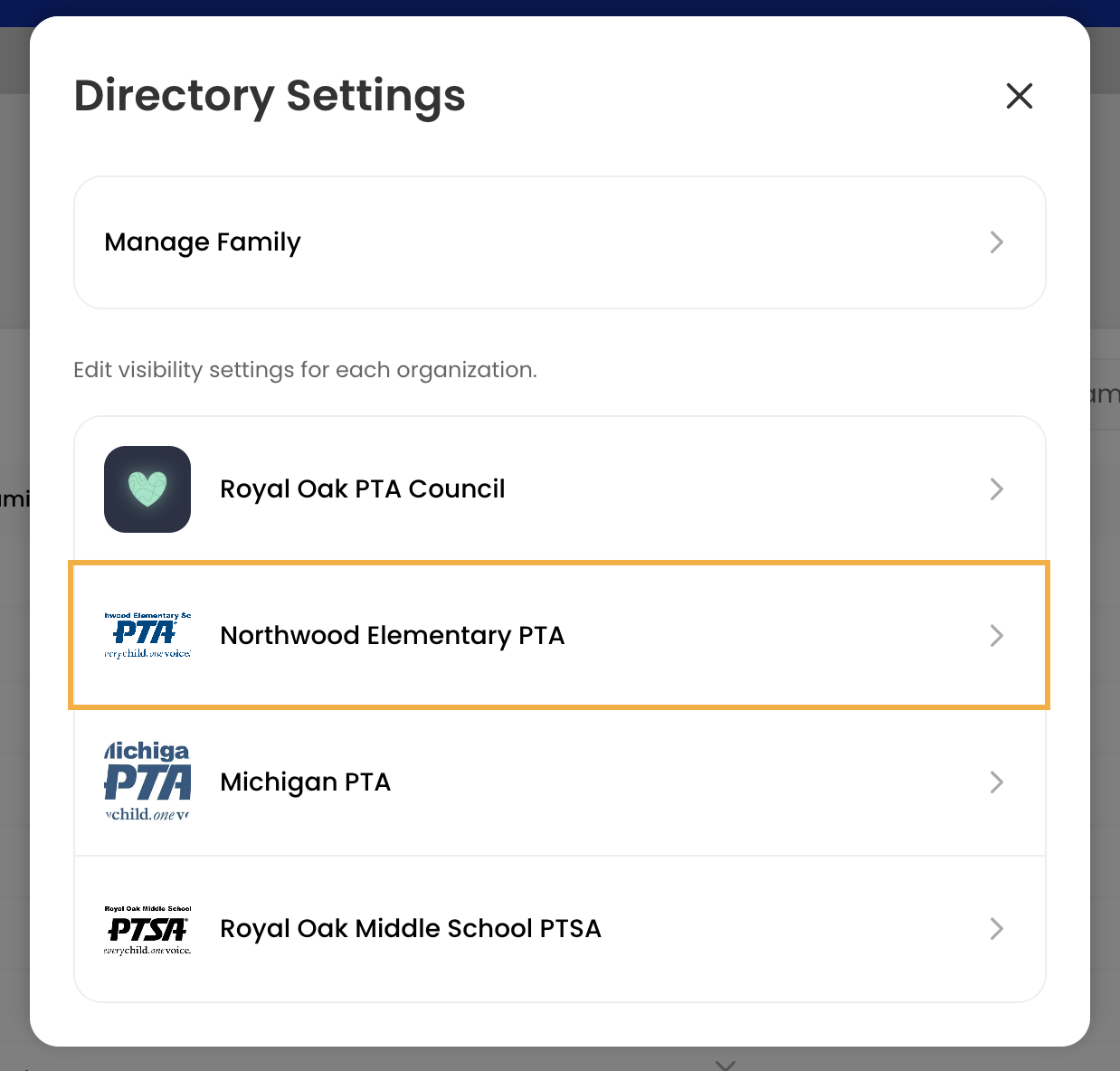
1. Go to Account → Directory Settings
2. Select Northwood Elementary PTA
3. Turn on Visible in Directory
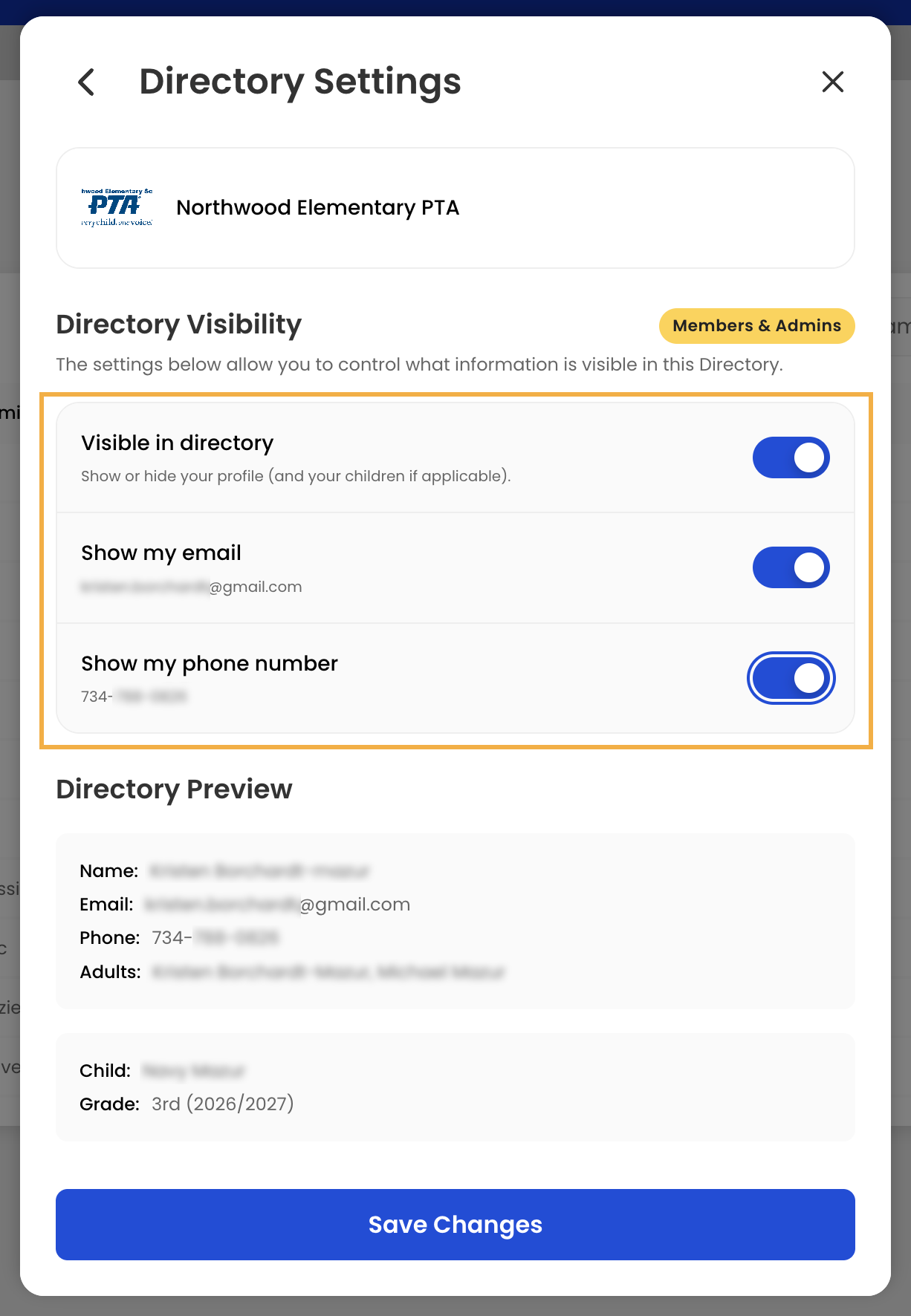
4. Choose whether you want to display your email address and/or phone number
5. Select Save Changes
You control what information is shared.
Only information you choose to make visible will appear in the directory.